

Included with PURP
Access that fits each role.
PURP staff management brings employee accounts, roles, permissions and store access into your retail operation, so each person can work with the tools their job requires.
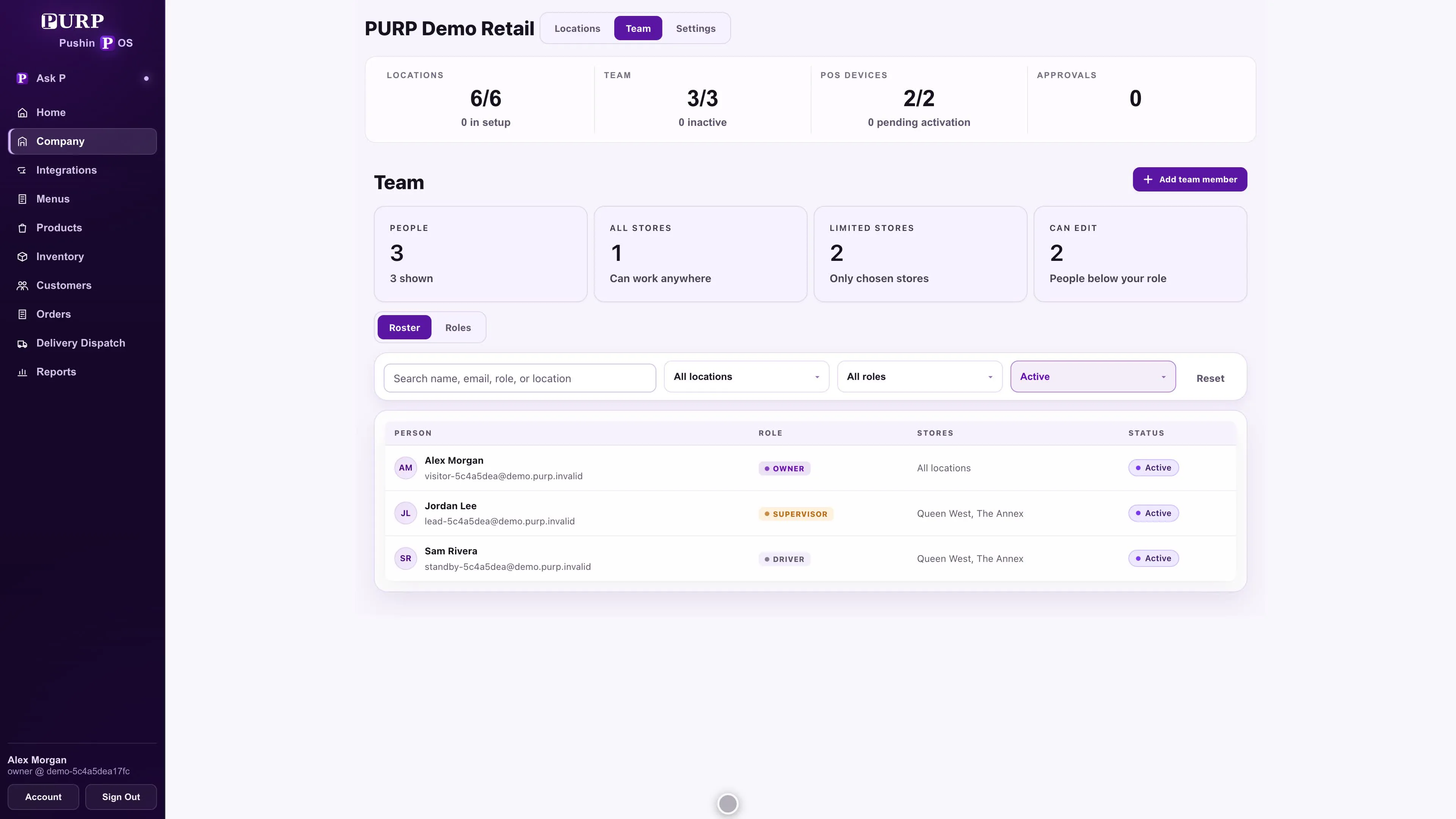
Give each employee their own account.
Set up employees in Admin and use the private invitation and account setup process for their access. A named account connects the person to their role and store responsibilities while keeping account recovery with the employee’s own identity.
Account setup and register PIN setup have separate progress. The team can distinguish an employee who still needs to finish their account from one who needs a register PIN, rather than assuming that one completed step proves both.
Match access to the work.
Use roles and permissions to decide which actions an employee can perform, and location access to decide where they can work. A person covering one store does not automatically need the same access across the company.
Daily work
Give the employee the sales, customer, stock or reporting access their responsibilities require.
Sensitive decisions
Keep actions and approvals distinct for workflows such as refunds, discounts, cash exceptions and inventory adjustments.
Store scope
Review the locations attached to the account when someone moves stores or takes on a wider role.
Start with the practical staff permissions guide when planning roles for your own team.
The right sign-in for the right surface.
An employee’s POS PIN is for operational access on a trusted register. Admin, Delivery Dispatch and the Driver app use the employee’s account, company multi-factor authentication policy and assigned permissions.
Keep a quick register handover separate from access to the wider business. A POS PIN does not open Admin or bypass the permissions protecting delivery, reporting and other employee tools.
See how those tools fit into the register, Order Hub and delivery operation.
Keep access current as the team changes.
Review roles, employee exceptions and store access when responsibilities change. Adjust temporary cover when the assignment finishes, and include disabling access in the offboarding process.
Check the practical result with the employee’s account: the ordinary work should be available, restricted actions should follow their intended refusal or approval path, and the store scope should match the assignment.
Plan access for your real operation.
Discuss your stores, employee responsibilities and approval needs with PURP.