

Included with PURP
Orders, from queue to handoff.
PURP Order Hub is the order management workspace for your retail team, bringing live work, orders, sales, returns and approvals together in Admin.
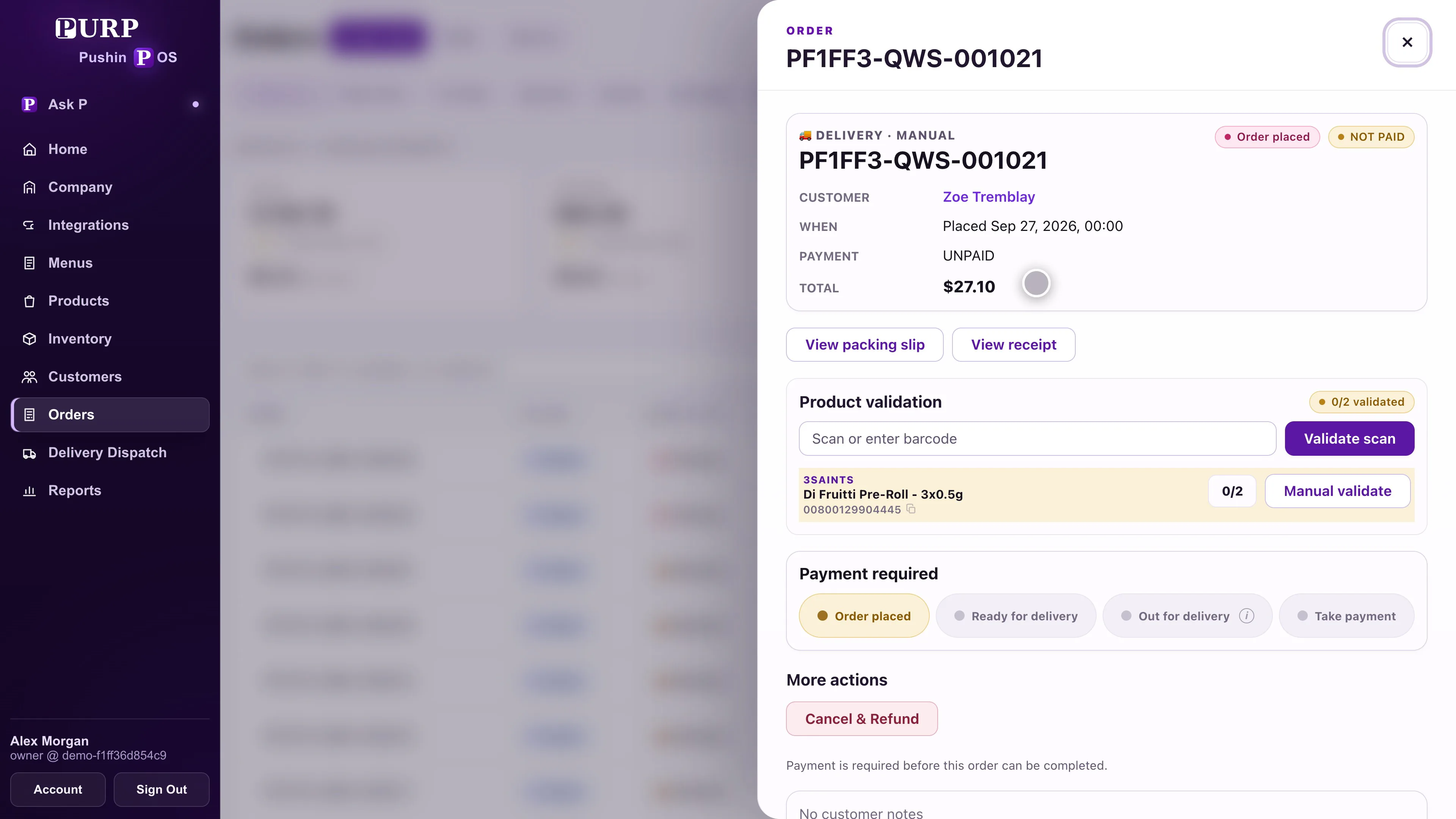
Start with the work that needs your team.
Order Hub gives employees an operational place to review the order day. Live work, order details, completed sales, returns and approvals have their own places in the same workspace, so the team can move from the queue to the record behind it.
A payment question, an item that needs checking and a delivery waiting to leave are different tasks. See the order’s current information before choosing the next action, with the employee’s role and store access still applying.
Open work
Find orders that still need packing, pickup, dispatch, payment or a staff check.
Order details
Keep the selected order’s items and operational status in view as the team works.
Follow-up
Use the sales, returns and approval workflows for the next decision on the original record.
Prepare orders before they leave.
Open the order, check its details and prepare the items before advancing it. Order Hub keeps packing and readiness connected to the order instead of treating a new status as a substitute for the work.
When something cannot be matched or completed automatically, the order can show that a staff check is needed. Employees can review the affected record and use the relevant PURP workflow to resolve it.
The inventory workspace and register remain part of the same retail operation.
Keep pickup and delivery moving.
Prepare a pickup for the customer arriving at the store, or pass a ready delivery into Delivery Dispatch. The order remains connected as work moves from store preparation to the delivery team.
Dispatch gives a delivery stop a route and driver. Starting deliveries moves the route’s orders forward; assignment alone does not mean the customer’s order has left the store. The PURP Driver app connects the stop’s outcome back to that delivery workflow.
Order Hub is included with PURP. Delivery Dispatch is a PURP+ addition for retailers operating their own delivery team.
Keep the next decision tied to the original sale.
Sales, returns and approvals belong with the order and transaction they concern. Review that context before taking an action, with the permissions and approval requirements for the employee and store.
For a practical evaluation, read the returns and refunds guide and staff permissions checklist.
Walk through your order day.
Tell PURP how your team handles orders, pickups and delivery handoffs.