

PURP+ Printed menus
Your product catalogue, ready to print.
PURP Printed menus creates printable menus from your product catalogue, with layout, orientation and text-density choices for the page.
Printed paper does not update after printing. Generate and print a fresh menu when the information changes.
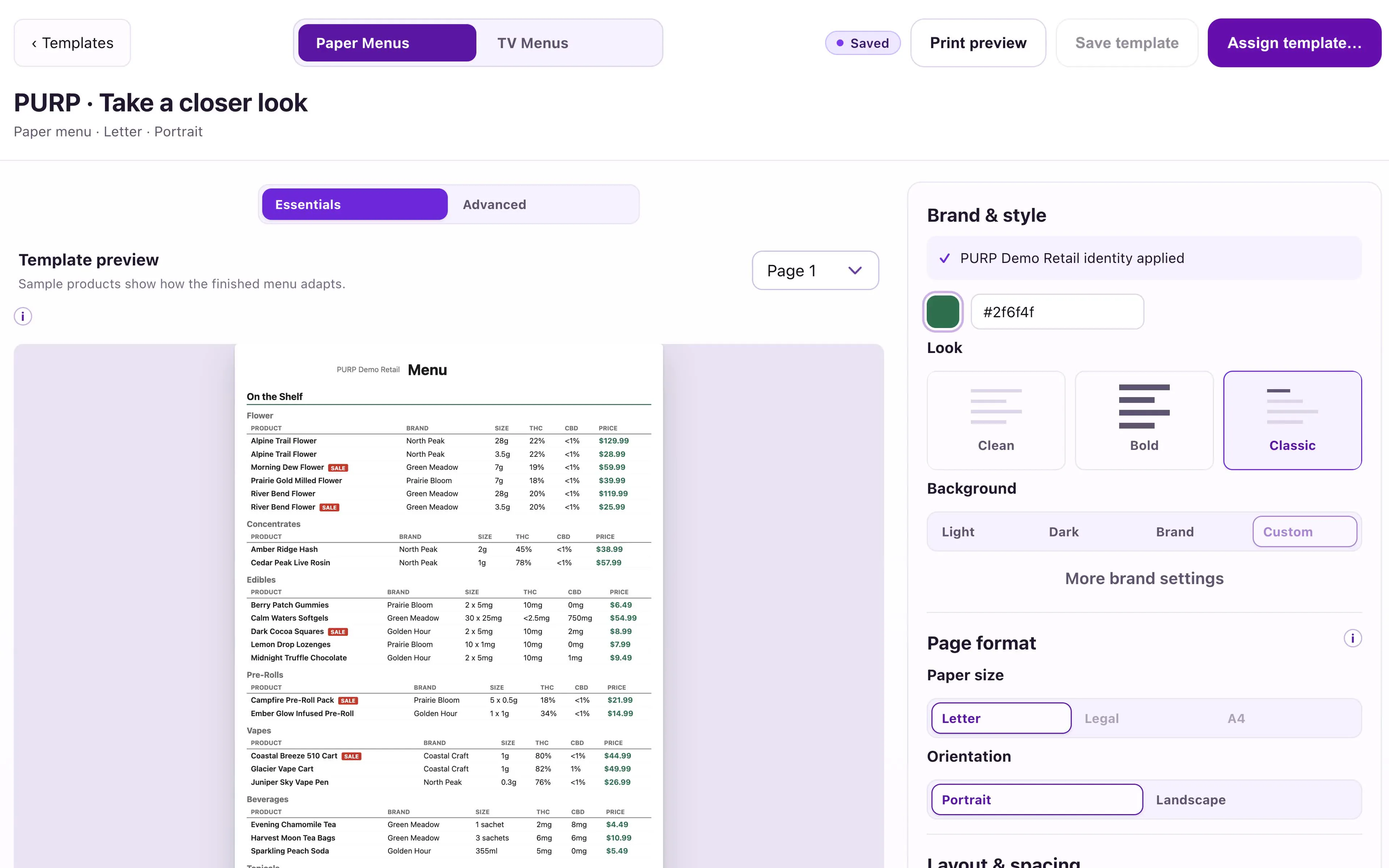
Start with the product list already in PURP.
Prepare a printed menu from the catalogue, prices and brand your team maintains. That keeps the source information connected to the retail system instead of asking staff to rebuild a product list in a separate document.
Choose the store and menu design you intend to print. The generated output reflects that preparation; the physical copies are then a snapshot of the information used to create them.
See the PURP Menus overview for the shared design and catalogue foundation.
Design for a page someone can hold.
Layout
Arrange product information for the printed format instead of treating a television slide as a paper handout.
Orientation
Choose the page orientation that fits the intended menu and where customers will use it.
Text density
Balance the amount of information on the page with the space needed to read it comfortably.
Make a new print when the information changes.
Review the generated menu before printing it. When prices, products or the published selection change, generate a new output and replace the physical copies your team is using. A printed sheet cannot receive later catalogue updates.
That makes paper useful for a counter menu or a product list handed to a customer, while giving the team a clear replacement step. For a connected store display with page playback, explore TV menus.
Printed menus and Website designs are separate outputs. More designs expands the Website’s design choices; it is not a substitute for the paper-menu channel.
Print the menu your store needs.
Discuss the page format, product information and store workflow you want to use.