

PURP+ TV menus
Your catalogue, on the store screen.
PURP TV menus turn your store’s product catalogue into published digital menus for browser-based displays, with product layouts and automatic pagination.
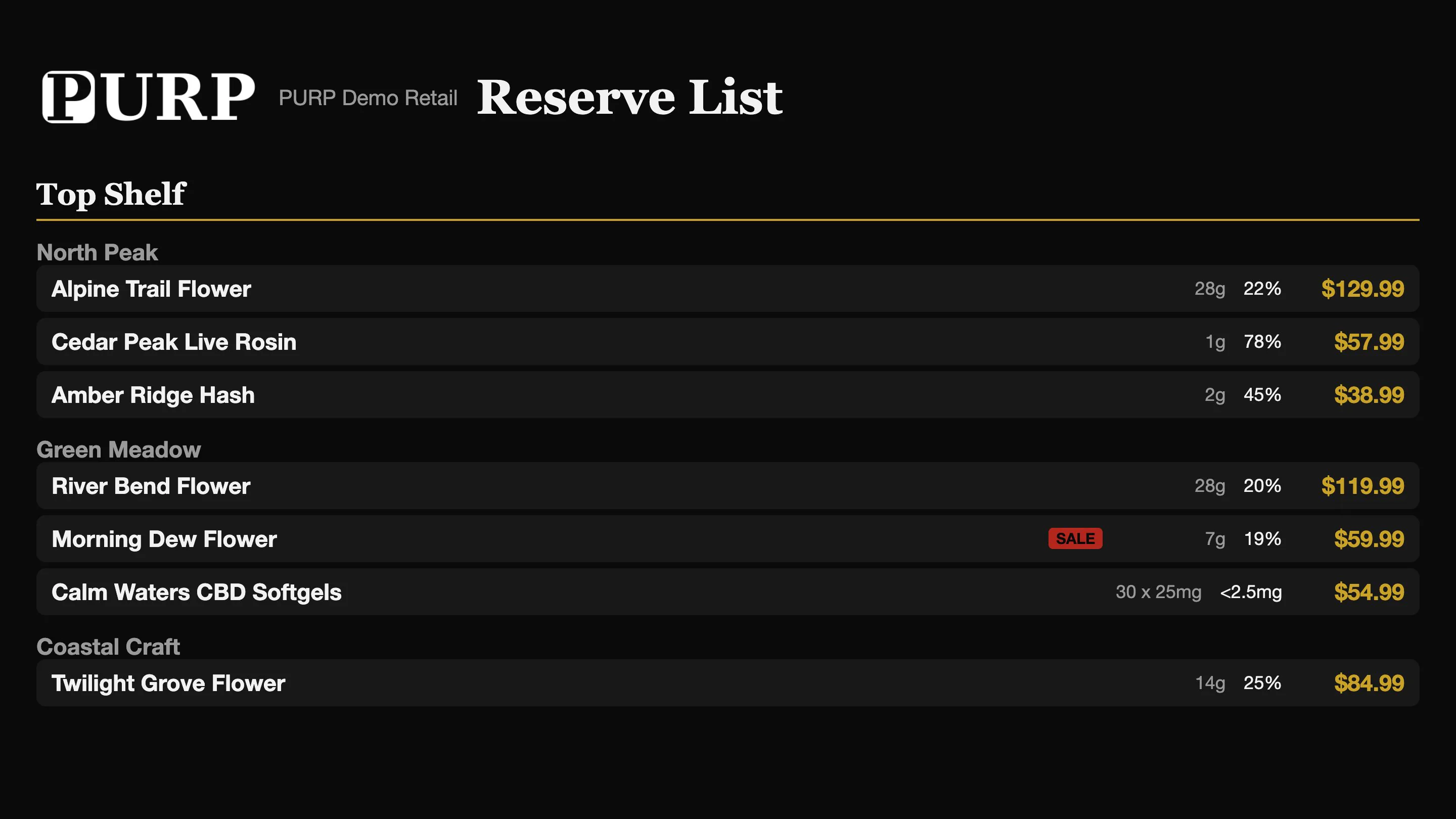
The menu starts with the products you already maintain.
Use PURP’s catalogue, prices and brand as the foundation for the screen menu. The team can prepare a menu from the existing retail information instead of retyping a separate list for each display.
Choose the design and published selection for the store. Product information, menu design and publication work together, so the output follows the store’s configured presentation rather than an unrelated slide deck.
The combined PURP Menus overview shows how screen and paper outputs share this foundation.
Give the product list room to be read.
Product layouts
Arrange the product information your menu needs, including the names, sizes and prices shown in your chosen design.
Automatic pagination
Let longer product selections continue across pages, rather than squeezing every item onto one crowded screen.
Consistent branding
Keep the menu’s visual presentation connected to the brand and information your team maintains in PURP.
Manage the menu as a store display.
TV menus have a screen workflow: prepare a design, assign the intended output and manage the store displays that read it. Check the result on the actual screen so the layout, page sequence and viewing distance suit the counter.
A TV display is distinct from a printed menu. For a handout, counter sheet or printed product list, use the Printed menus workflow and generate the paper output you intend to use.
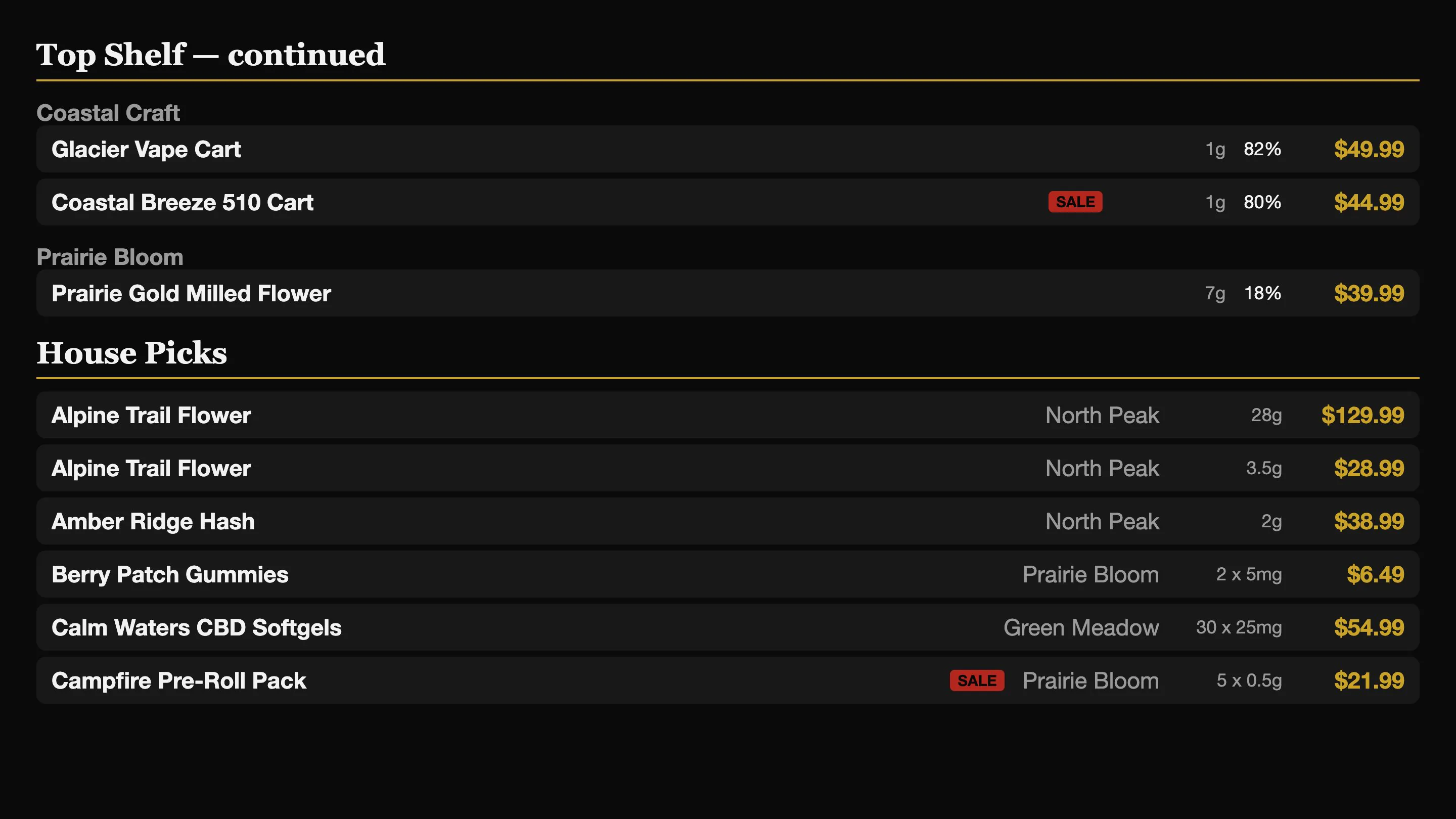
Put your products on the big screen.
Talk through your store displays, product selection and preferred menu layout.