

PURP Intelligence
Answers from your retail operation.
Ask P is the AI assistant inside PURP for retail questions, practical how-to guidance and finding the work that needs your attention.
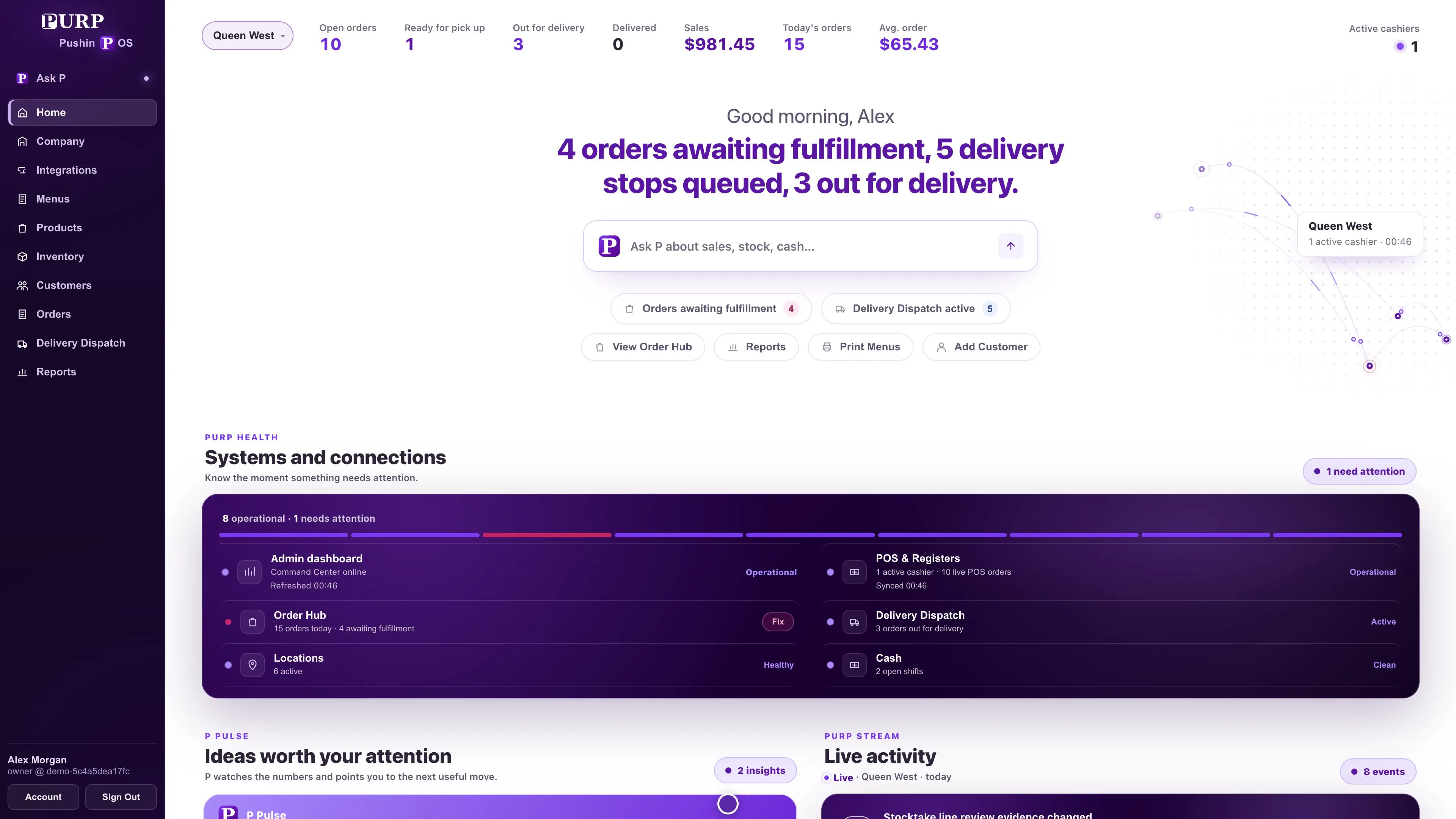
Start with the question on your mind.
Ask about supported retail work in ordinary language. P can help identify orders needing attention or summarize the delivery day from the information available to your account.
“Which orders need attention?”
Review supported order needs such as packing, dispatch, pickup, payment and a staff check.
“How are deliveries going?”
Ask about waiting deliveries, routes and drivers for stores with Delivery Dispatch that you can access.
“How do I add a team member?”
Get guidance for an approved workflow, with the steps and destination appropriate to your access.
The answer depends on the question, the supported workflow and the information your account can use.
Help that leads back to the actual workflow.
For supported how-to questions, P draws on PURP’s approved guidance. That help covers practical tasks such as setting up a TV menu, printing a paper menu, adding a team member or starting a stocktake.
Follow the steps and open the relevant PURP screen to carry out the work. The employee’s normal permissions and the workflow’s required review still apply.
For purchasing, OrderFlow has its own supplier-file and document-import workflow. Ask P’s guidance follows that process.
Move from the answer to the record.
An operational question is useful when it helps you find the item that needs attention. Supported P answers can connect you to the order or workflow being discussed, so the team can review the source record in its normal workspace.
Use Order Hub for the order’s next step and Delivery Dispatch for the delivery operation. Actions such as changing an order or approving a return remain with those tools and their permissions.
Answers within your team’s access.
Ask P uses the stores, products and information available to the employee’s account.
Store context matters: a delivery answer uses accessible stores with Delivery Dispatch, while an order answer requires access to the relevant order work. P can explain when information is unavailable with the current access.
Set up the team’s responsibilities through staff roles and permissions, then use P alongside the work those employees are authorised to perform.
Bring your everyday questions.
Talk with PURP about the work your stores need to understand and complete.