

Part of PURP+ Delivery Dispatch
Your delivery team, connected.
PURP Driver is the delivery app your drivers use alongside Delivery Dispatch, connecting assigned routes, stop work and delivery outcomes back to the store.
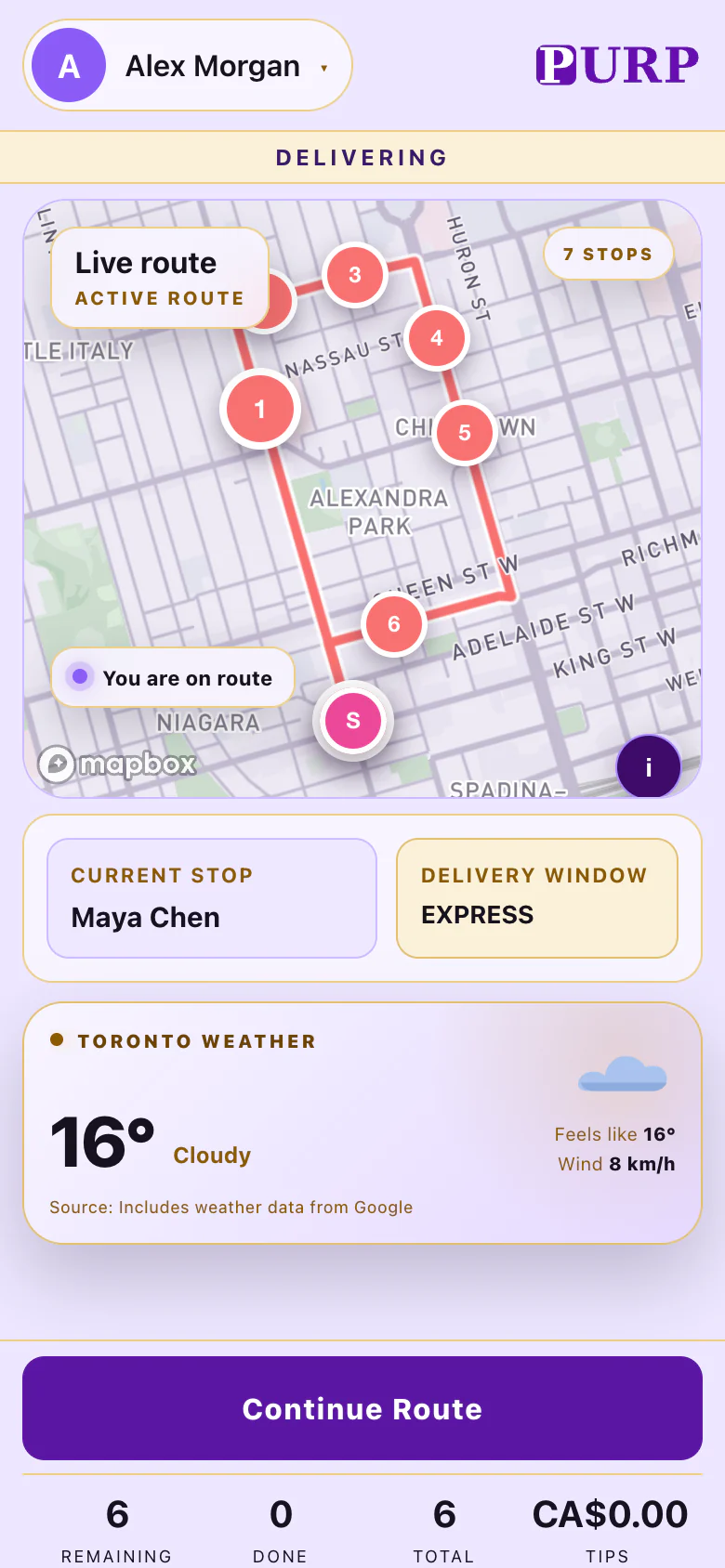
Give the driver a route to work from.
The store prepares delivery orders in Order Hub. Delivery Dispatch then connects ready stops with a driver and route, giving the delivery team a shared view of the work ahead.
The Driver app carries the assigned route into the driver’s working day. Starting deliveries moves the route’s orders to Out for delivery; simply assigning a driver leaves them Ready until that departure step.
Retailers using AI Dispatcher can add its planning workflow to Delivery Dispatch. The Driver app remains connected to the route the business actually assigns.
Keep the delivery outcome with the stop.
Work through the stop and complete it with the proof required by the delivery workflow. PURP’s delivery system determines those requirements, and the app keeps the stop’s completion connected to them.
A completed stop and an unsuccessful attempt lead to different follow-up. Keeping the outcome with the delivery gives the store a clearer record of what happened and which orders still need attention.
Check your delivery procedures, employee access and required proof together when setting up the team.
The store and customer stay in the same journey.
Delivery Dispatch follows the work from ready orders through routes and stop outcomes. The Driver app supplies the delivery side of that journey while the store continues working from its order and dispatch tools.
The connected customer tracking page can show the order’s stage, delivery window and available arrival information. Staff can follow the delivery workflow without treating route assignment as proof that a stop has been completed.
See the complete sequence in the Delivery Dispatch walkthrough, from the first order in the store to its doorstep outcome.
Made for the retailer’s delivery operation.
PURP Driver is the companion to Delivery Dispatch for your own delivery team. Employee accounts, company sign-in requirements and delivery permissions control the team’s access.
Discuss the supported device and distribution setup for your team with PURP. Use a shift rehearsal to check route assignment, departure, tracking, required proof and a stop that needs store follow-up.
The delivery operations guide covers practical setup questions. The staff access page explains the account and POS PIN distinction.
Connect your own delivery team.
Talk through your stores, drivers and delivery workflow with PURP.