

Cannabis POS costs: what you get with PURP
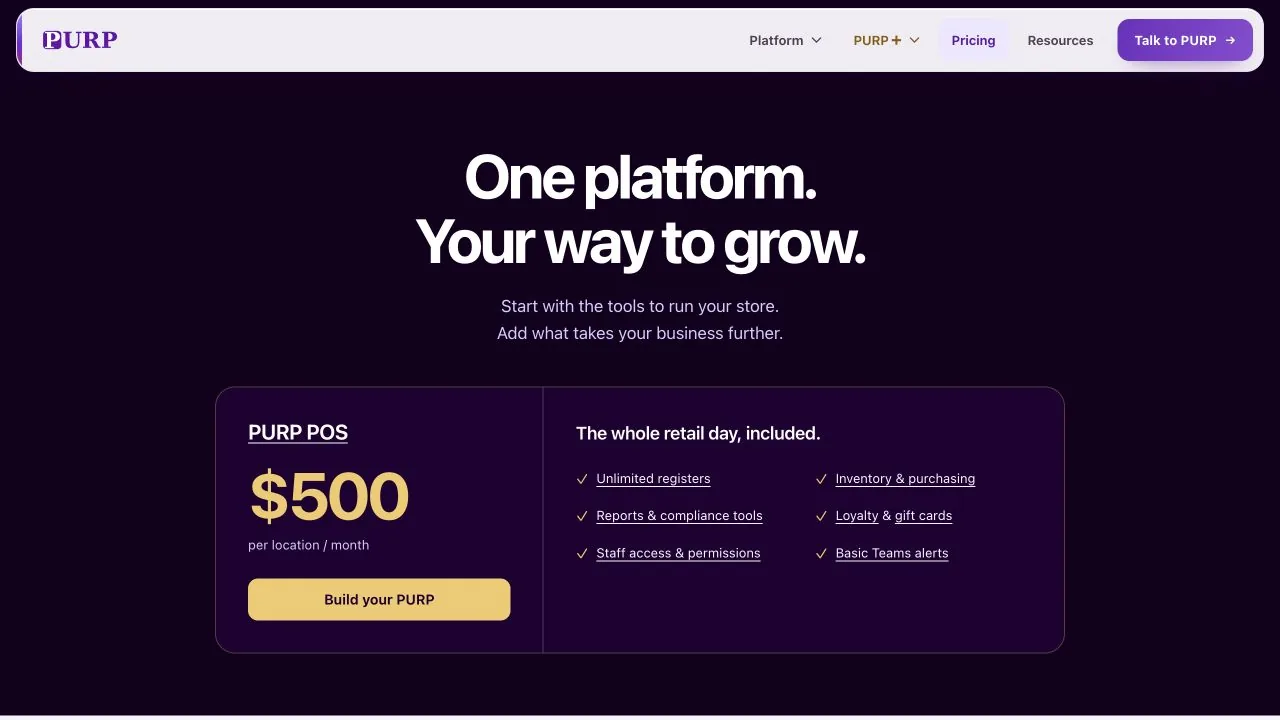
PURP prices POS by location, with unlimited registers and the tools for stock, purchasing, reporting, loyalty, gift cards and staff access included. Start with the work your stores need to do, then choose the PURP+ products that take it further.
A closer look at what PURP includes, where optional products fit and what belongs in the full setup budget. Your written quote and agreement confirm the terms.
The POS subscription covers the counter and the work around it. Receiving stock, managing customer value, reviewing the business and giving staff the right access belong in the same buying decision as taking a sale.
See current PURP pricing and build a software estimate. The public estimate applies selected add-ons to every location entered; taxes, hardware, onboarding and additional drivers are excluded.
Put the included tools to work
A feature list is useful when you can connect it to a task. PURP’s current POS offering includes the following tools for running the store.
| Included capability | What your team can do |
|---|---|
| Unlimited registers | Plan additional counters or a spare register within the store subscription. Choose and confirm the hardware and payment setup for each device separately. |
| Inventory and purchasing | Bring supplier documents through Intake, review purchase-order records and record what physically arrived. Expected and received quantities remain distinct as the team checks the delivery. |
| Reports and compliance tools | Review the operation through sales, inventory, staff and supported compliance reporting surfaces. Choose the relevant scope and period for the decision you need to make. |
| Loyalty and gift cards | Use the supported customer and gift-card workflows at the counter, with the program and staff permissions applied. Paid Wallet Cards add the branded Apple and Google Wallet pass layer; core gift cards do not require that add-on. |
| Staff access and permissions | Assign access for staff responsibilities and locations. Receiving stock, seeing sensitive information and other restricted work stay with authorized staff. |
| Basic Teams alerts | Use the included basic notification capability. PURP+ Teams adds the separately priced advanced alerting product. |
Follow a delivery into the retail day
A team member reviews a supplier document in Intake and checks the purchase order. When the delivery arrives, receiving records the products and quantities that actually came in. Staff then work with the store’s stock at the counter, and managers review the records in Admin. That is daily operating work covered by the core tools.
OrderFlow adds purchasing recommendations before the supplier handoff. Its buying strategies, assortment planning and explanations are a separate PURP+ product. The purchasing and replenishment guide shows that additional depth.
Plan stores and counters separately
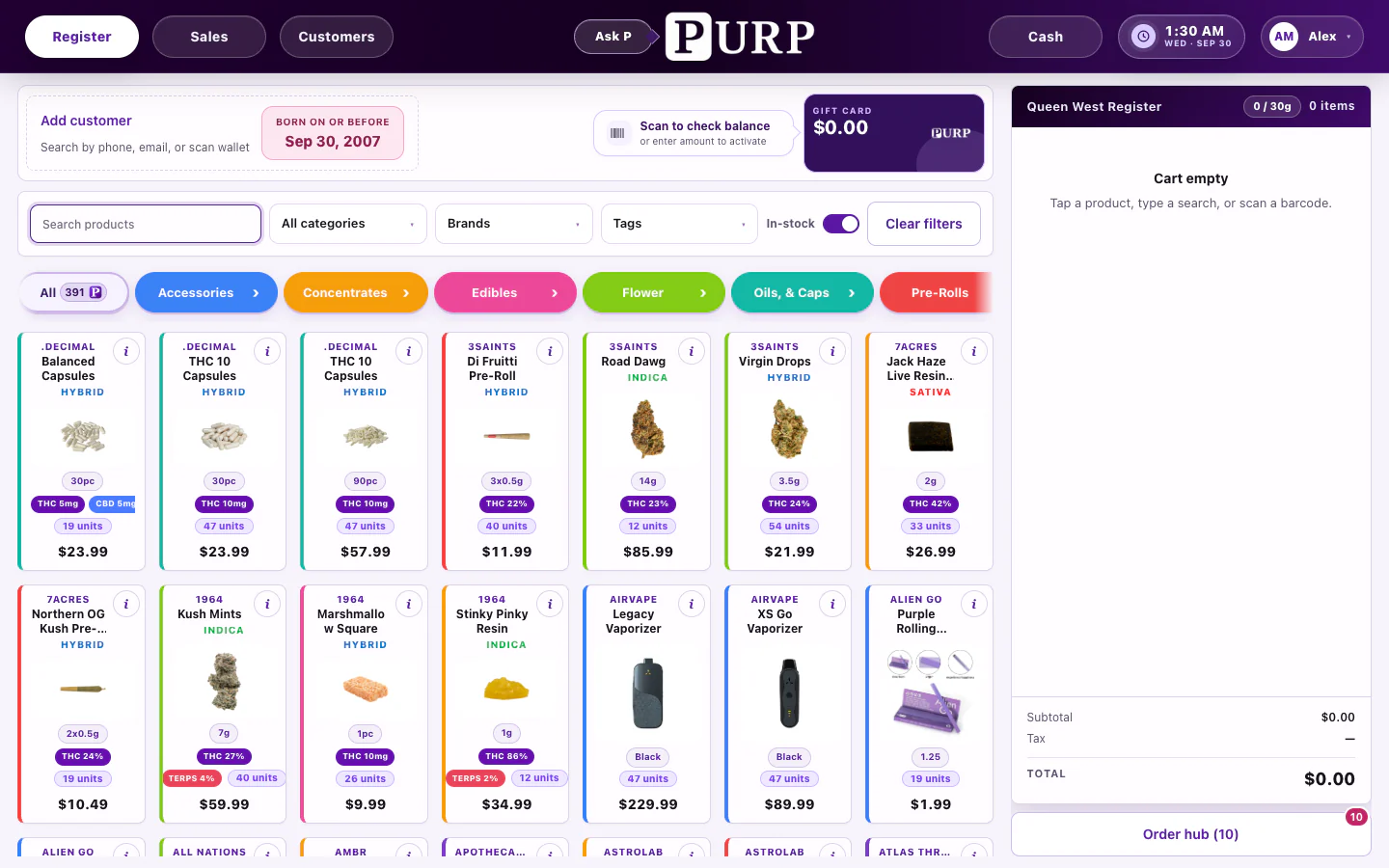
A second counter and a second store are different software decisions. PURP’s POS price is per location, with unlimited registers at that location. Adding a busy-day counter does not mean choosing another POS software seat; it still needs suitable equipment, staff access and any required payment-terminal arrangement.
For a new store, work through the location’s stock, staff and products as well as its subscription. The multi-location retail guide explains how shared business setup works alongside local stock, buying decisions and permissions.
Choose PURP+ around the work you want to add
Build the optional part of the quote around a specific workflow and the locations that need it. The current product list, first-location and extra-location rates, dependencies and available bundles are on PURP pricing.
Customer experience and your brand
Wallet Cards connect branded passes to the customer experience. Website & ecommerce provides the website builder; More Designs adds multiple designs, location assignments and scheduled changes. More Designs and the Branded App require Website & ecommerce. Native Website cart, checkout and online payment are currently unavailable. The ecommerce guide separates the supported builder and account features from configured order integrations.
The Branded App currently provides setup; native building and publication are unavailable. Keep that availability distinction in the quote rather than budgeting an already published app.
Delivery operations
Delivery Dispatch adds the delivery board, route work and driver apps. The Dispatch + AI Dispatcher bundle adds automated planning to Dispatch. Include the driver capacity your operation needs when confirming the full quote.
Buying, menus and team communication
OrderFlow adds the planning work described above. TV Menus and Paper Menus use the product catalogue for different in-store formats; a printed menu is a snapshot to reprint when it changes. PURP+ Teams is the advanced alerting addition. Select these products for the work they will do in your stores and confirm that scope in writing.
Budget for the devices your staff will use
List the exact computers or tablets, scanners, receipt printers, cash drawers and payment terminals you intend to operate. Existing hardware can be useful when its model, operating system and connection are supported. Confirm those details before counting it as a saving.
For new equipment, include stands, cables, adapters, printer supplies and networking equipment where needed. Establish ownership or rental terms, replacement support and how a spare counter is put into service. The hardware checklist helps you rehearse a sale, printed receipt and device restart on the intended setup.
Keep processing and usage visible
Payment-provider terms sit alongside the software quote. Confirm the supported provider and terminal arrangement, the transaction and recurring charges that apply, settlement terms and who handles support. Keep those provider charges separate from the POS subscription.
If a chosen service has usage allowances or extra capacity charges, identify them in the quote. Ask which company bills each part and how the owner can review usage. A useful budget distinguishes one-time setup, recurring software, payment processing and any applicable usage charges.
Plan the work of switching
Agree which records will move: products, opening stock, customers, eligible balances and historical records. Confirm supported imports and any limitations, who prepares the files and who checks the result. A product’s presence in a catalogue does not by itself verify an opening stock or balance.
Have the quote name the setup, migration and training work it includes, with any charges identified. Plan staff rehearsal and device checks around the cutover. The switching checklist turns those decisions into a practical store plan.
Confirm the full agreement
Before signing, confirm the initial term, billing schedule, renewal process, price-change notice and the terms for closing a store or changing a module. Confirm record-export access and the support responsibilities that continue after setup.
Bring one complete store example
List the counters, devices, staff responsibilities and workflows for a real location. Mark which are covered by POS, which need PURP+, and which belong to equipment or a payment provider. Then repeat for any store with different needs. That gives you a quote tied to the operation you intend to run.
Talk to PURP about that setup, using current software pricing as the starting point.